
Die Verbindung mit dem Education Netzwerk erfolgt über einen VPN Client.
Anschliessend kann über Remote Desktop auf den ihnen zugewiesenen Admin PC (WIN10) zugegriffen werden.
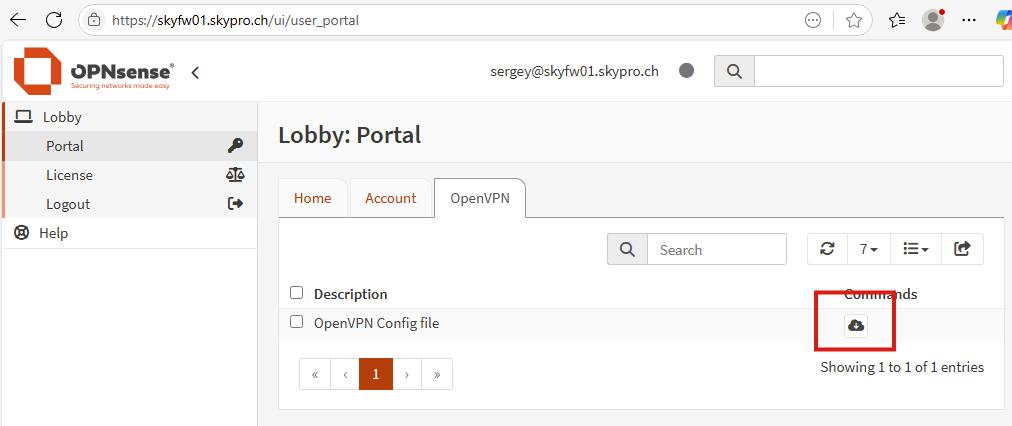
1. Log in at link https://skyfw01.skypro.ch/ui/user_portal using given credentials
2. Go to the page: Lobby -> Portal -> OpenVPN
3. Download the configuration file for the OpenVPN client
4. Import the configuration file into your OpenVPN client
5. Connect to the VPN server using your given credentials
Link to download OpenVPN Connect:
https://openvpn.net/client/
Link to download OpenVPN Community:
https://openvpn.net/community-downloads/
Confluence Log in
| Step | Info | Details |
|---|---|---|
| 1 | Benutzer: edu Passwort: gemäss Mail |