
...
Filter definitions let you filter the data for your report. BUT there are two completely differnet different type of filters, that have a different purpose:
...
Select filters are filters, that are displaied displayed when generating a report, to select specific objects you want to put on your report.
...
- search
- select
- selectsearch
- selectperiod
- selectrange
- selectsearchload (will be added in ACD v. 3.2)
Select filters are shown in the filter selection when generating the report.
...
Select type of filter you want to use. There are 5 (6 since v. 3.2) different filtertypes:
- search
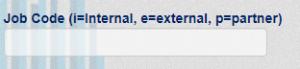
Enter a search string you want to select a specific attribute value. You have to enter the exact value. Substring does not work. It makes most sense for 1-5 character filters. e.g. for employee type like i=internal, e=external, p=partner etc., - select
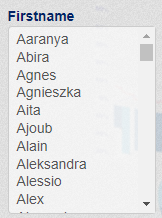
A select box displayes displays all available values of the attribute. You can select no or as many value(s) from the list as you like. - selectsearch
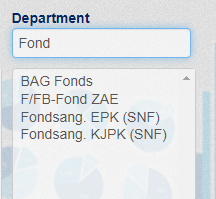
A select box displayes displays all available values of the attribute. At the top you have a search box to search for specific values. Substring search das work. You can select no or as many value(s) from the list as you like. - selectperiod
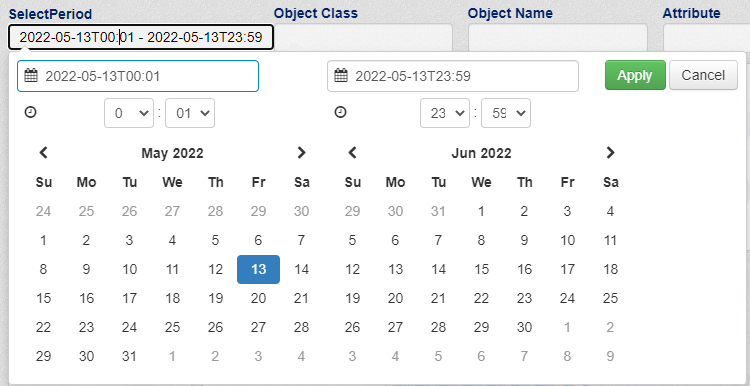
For date/time fields to select a period. A date/time range select box will appear as soon as you - selectrange
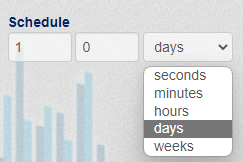
With this filter you can define a schedule.
- selectsearchload. Available from ACD v.3.2
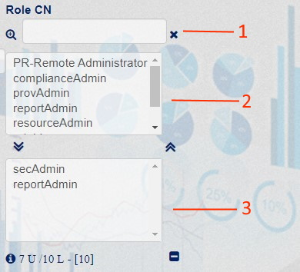
This filter will allow to handle with large number of objects matching Search query. Recommended in case if more than 10 000 entries match filter query.
Contains 3 fields:
- Standard search field.
- Standard select field, by default populated with first N records received with basic Search query. Can be repopulated by data received after user will add a string to search in "search" field based on base Search query.
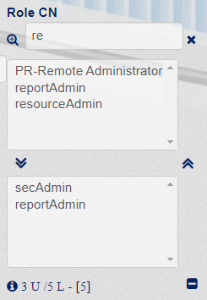
Example: Base search query defined in filter is: "objectClass:nrfRequest AND nrfSourceDN:* AND nrfRequester:*". With "re" in "search" field "select" field will be populated with records received from elasticsearch using next query: "objectClass:nrfRequest AND nrfSourceDN:* AND nrfRequester:* AND nrfSourceDN:*re*". Attribute in added query part and '*' placement may be changed using new settings "Filter loaded data dependent on value from" and "How to filter pre-loaded data"
- Field with selected records.
Main feature - this filter makes a new query to Elasticsearch on search instead of searching on results preloaded on filter creation.
In ACD v.3.2 select, selectsearch and selectsearchload filters will receive additional element on the bottom of the filter containing information about total amount of records matching filter`s Search query, Max Limit, number of loaded records and unique records shown in filter (if "Make Unique Values" is checked in settings).
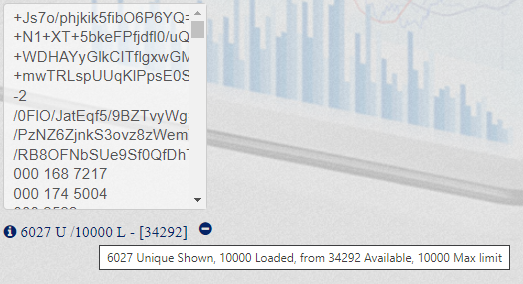
In example we see that filter loaded only 10 000 of 34 292 records available. In such cases recommended to use selectsearchload filter!
Template
Select template to use for displaying the filter. By default we use the same template as the filtertype. If you do not specify a template the filter will not appear!
...